et al
oh my posh를 vscode에 폰트 적용하기
코딩상륙작전
2024. 12. 14. 18:35
1. 폰트 다운 받기
oh-my-posh font install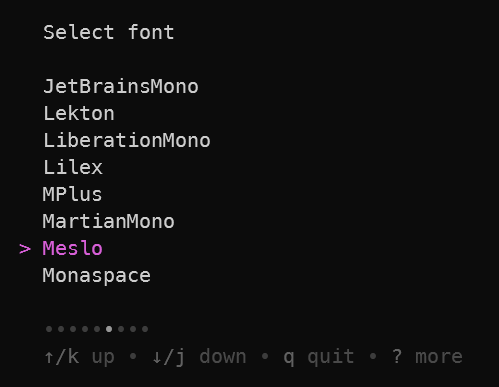
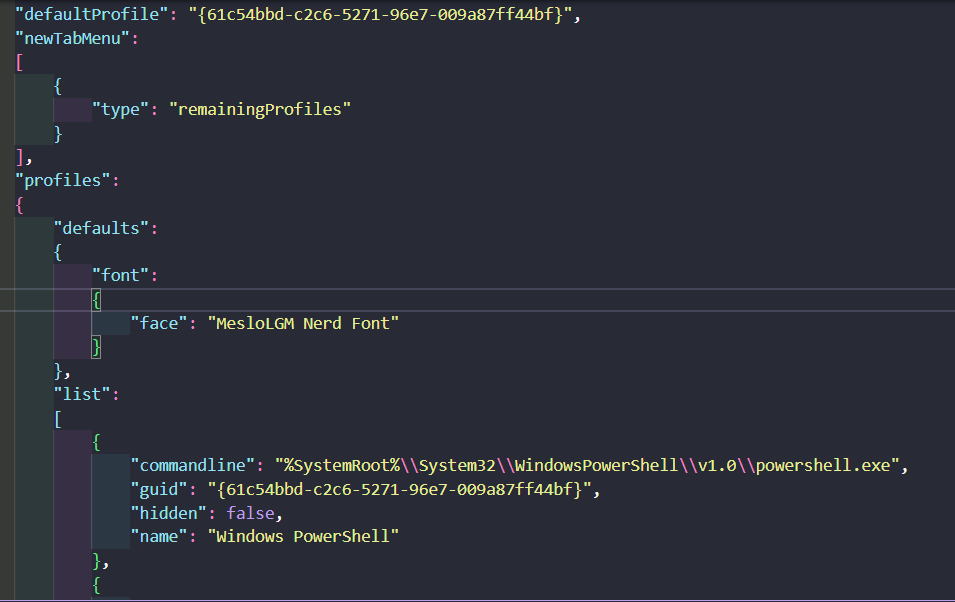
2. setting.json 수정
cmd에서 ctrl+shift+, 를 입력하면 vscode에서 setting.json 파일이 열린다.
(powershell 7을 사용하는데, powershell7에서는 키가 안 먹어서, 기본 cmd 에서 ctrl+shift+,로 실행했다.)
아래와 같이 font에서 MesloLGM Nerd Font를 입력해주었다.
3. vscode terminal 폰트 설정
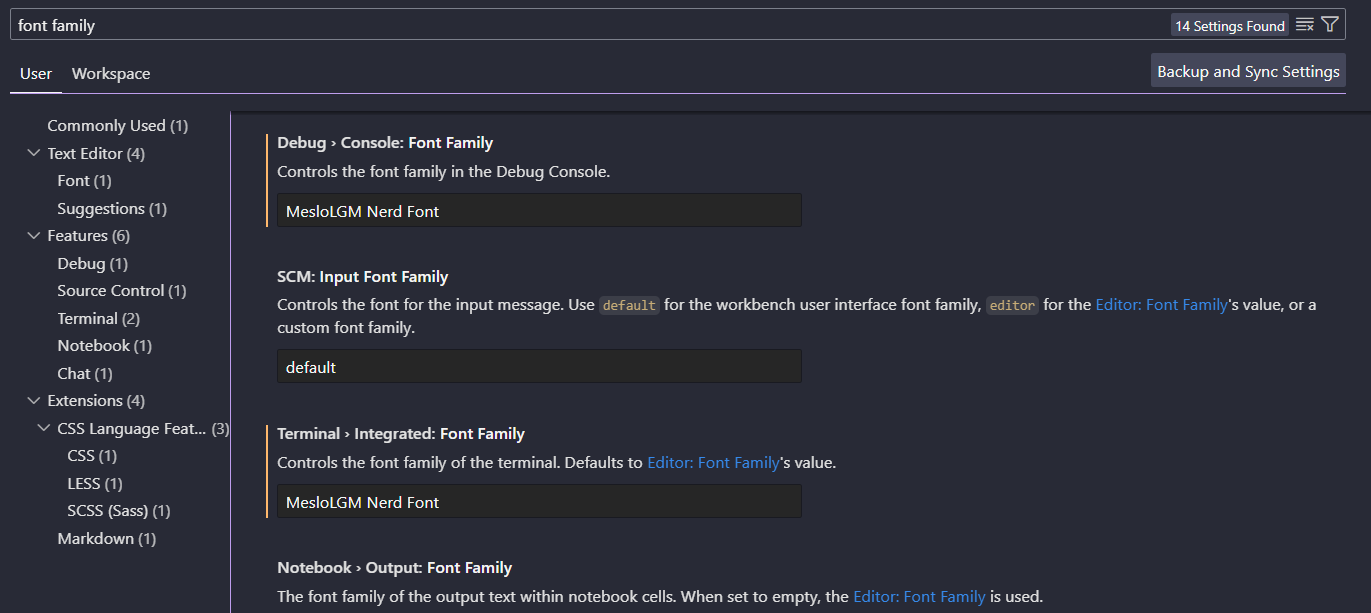
ctrl + , 로 vscode settings을 연다. font family를 검색하면
Debug > Console: Font Family와 Terminal > Integrated: Font Family가 보인다. 각각에 아래 사진처럼
MesloLGM Nerd Font를 입력해준다.
oh my posh의 dracula 테마가 vscode의 터미널에도 잘 적용되었다. 혹시 적용되지 않았다면 vscode를 껐다 켜보자.
